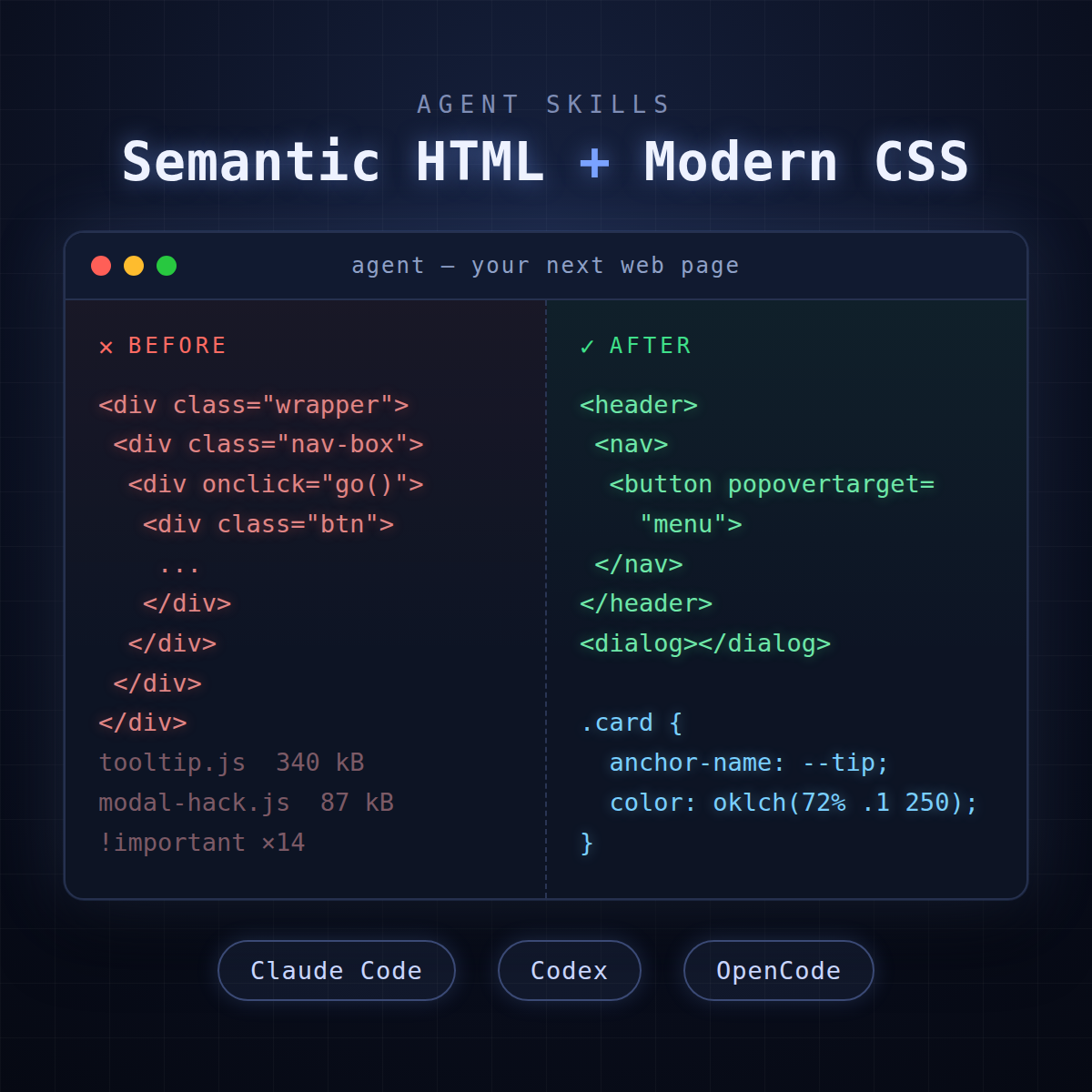
Ask an AI coding agent for a landing page and watch what comes back.
<div class="header-wrapper">. <div class="nav-container">. A tooltip powered by 40 lines of JavaScript. A modal built out of divs and a click-away listener. Maybe a !important or three fighting the framework it also decided you needed.
It’s not the model’s fault. LLMs learned web development from the web — and the web is a museum of 2015-era workarounds. Popper.js for tooltips. Masonry.js for layouts. Div soup with onClick handlers where a <button> should be.
The platform moved on. The training data didn’t.
So I fixed it the way you fix any agent behavior: I wrote it down. Two open-source skills that teach your agent what modern, clean, semantic web development actually looks like:
- semantic-html-skill — structure
- modern-css-skill — presentation
Both are free, both are plain Markdown, and both work with Claude Code, Codex, and OpenCode. Here’s what they do and how to set them up.
Skill #1: Semantic HTML
semantic-html-skill teaches your agent to write static, CSS-free, purely semantic HTML — using the full 2026 element vocabulary, not the same eight tags over and over.
What’s inside:
- All 113 living HTML elements, documented with when-to-use guidance. Your agent stops reaching for
<div>when<article>,<figure>,<dl>, or<hgroup>is the right answer. - Zero CSS, zero JavaScript. Interactivity comes from native elements —
<details>,<dialog>, popovers. The browser already does this stuff. - SEO, ARIA, and i18n baked in. JSON-LD, canonical tags,
lang/dirhandling, even<ruby>annotations. Not as an afterthought — as the default. - Eight realistic examples — recipe pages, glossaries, data tables, multilingual poetry, forms — every one validated against the W3C Nu checker with zero errors, enforced in CI.
If meaning, machine-readability, and accessibility matter to you (they should — that’s what search engines and screen readers actually consume), this is the foundation.
Skill #2: Modern CSS
modern-css-skill is the other half: teach your agent to build UI with platform-native CSS instead of JavaScript hacks and heavy libraries.
What’s inside:
- A hack-replacement table mapping legacy JS solutions to their modern CSS equivalents. Popper.js → anchor positioning. FLIP libraries → view transitions. Scroll listeners → scroll-driven animations.
- A three-tier policy system (Tier A/B/C) so the agent knows which features are Baseline-safe to ship today and which need a fallback — no more “works in my browser.”
- 120+ tracked CSS features with dated Baseline support status.
- 20 production-ready recipes for the patterns you build constantly — dropdowns, carousels, accordions, theming.
- Four complete examples, including a SaaS landing page and a CSS Zen Garden variant.
- Anti-pattern enforcement. No
!importantfights. No pixel media queries. No div-modals. The skill actively steers the agent away from them.
Container queries, :has(), anchor positioning, oklch(), cascade layers — the platform is genuinely good now. Your agent just needs to be told.
Setup: Two Minutes, Any Agent
Both skills use the standard SKILL.md format — a Markdown file with YAML frontmatter. The agent auto-loads the skill whenever the task matches its description, or you can invoke it explicitly.
First, grab the repos:
git clone https://github.com/mikezupper/semantic-html-skill
git clone https://github.com/mikezupper/modern-css-skill
Then install for your agent of choice.
Claude Code
Claude Code reads skills from ~/.claude/skills/ (global) or .claude/skills/ (per project):
mkdir -p ~/.claude/skills/semantic-html
cp semantic-html-skill/skills.md ~/.claude/skills/semantic-html/SKILL.md
cp -r modern-css-skill ~/.claude/skills/modern-css
That’s it. Ask for any HTML or UI work and the skills trigger automatically — or invoke them directly with /semantic-html and /modern-css.
Codex
Codex reads skills from ~/.agents/skills/ (user-level) or .agents/skills/ in your repo:
mkdir -p ~/.agents/skills/semantic-html
cp semantic-html-skill/skills.md ~/.agents/skills/semantic-html/SKILL.md
cp -r modern-css-skill ~/.agents/skills/modern-css
Run /skills to confirm they’re loaded, or type $ in a prompt to mention one explicitly. Codex also picks them implicitly when your task matches the skill description.
OpenCode
OpenCode is the easy one — it reads its own skill directories and the Claude- and Codex-compatible paths:
~/.config/opencode/skills/and.opencode/skills/~/.claude/skills/and.claude/skills/~/.agents/skills/and.agents/skills/
If you already installed for Claude Code or Codex above, you’re done. OpenCode finds them. Otherwise:
mkdir -p ~/.config/opencode/skills/semantic-html
cp semantic-html-skill/skills.md ~/.config/opencode/skills/semantic-html/SKILL.md
cp -r modern-css-skill ~/.config/opencode/skills/modern-css
(New to OpenCode? I wrote up my full OpenCode setup here.)
Everything Else
Because a skill is just Markdown, any harness works: paste SKILL.md into a system prompt, drop it into .cursor/rules/, AGENTS.md, or .github/copilot-instructions.md. For single-file setups, bundle the modern-css skill with its references:
cat SKILL.md references/feature-support.md references/recipes.md > modern-css-bundle.mdWhy Skills Beat One-Off Prompting
I’ve written before about the cycle of complexity in web development — the industry’s habit of stacking JavaScript on top of problems the platform already solved. AI agents were on track to make that worse, generating yesterday’s workarounds at 10x speed.
Skills flip that. You encode the standard once, and every session — every agent — inherits it. The agent stops being a very fast junior dev with 2015 habits and starts shipping markup that validates, CSS that’s Baseline-aware, and pages a screen reader can actually navigate.
Lean output. Native platform. No bloat. That’s the whole philosophy, now enforceable.
Try Them, Break Them, Tell Me
Both repos are open: semantic-html-skill and modern-css-skill. Install them, point your agent at your next page, and see the difference. If something’s wrong or missing — a feature mis-tiered, an element misdocumented — open an issue or a PR. Skills get better the way the web does: in the open.
And if you want to follow along as I build more of these, follow me on X: @mikezupper. That’s where I post new skills, agent workflows, and whatever I’m tearing apart next.
The platform is enough. Now your agent knows it too.